Cyberpunk Neon City AI Photo Prompts: 4 Rainy Night Scenes and the Lighting Behind Them
- • Introduction
- • The colour logic of a neon night scene
- • Why the prompts ask for rain and wet streets
- • What the camera and lens words actually change
- • Step-by-Step: How to Use These Prompts
- • Prompt 1: Rainy Tokyo Night Alley with Transparent Umbrella & Cyan Glow
- • Prompt 2: Cyberpunk Couple on a Rainy Neon Sidewalk
- • Prompt 3: Rooftop View over a Futuristic City with Holograms
- • Prompt 4: Futuristic High-Speed Cyber Car Interior with Neon Dashboard
- • Write your own neon scene: a five-part checklist
- • Posting AI neon images honestly
- • Problems & Fixes
- • Pro Tips
- • Frequently Asked Questions
Cyberpunk pictures follow a short recipe: a dark, wet city, a few strong coloured lights, and a person who looks like they belong there. When an AI image tool gets it right, the result feels like a still from a sci-fi film. When it gets it wrong, you get a flat purple fog with a blurry face in the middle.
Below are four prompts, each shown with a sample image generated from it: a portrait under a clear umbrella, a couple on a rainy pavement, a rooftop view over a giant city, and a driver inside a car at night. All four create new, fictional people.
The explanation matters more than the prompts: why cyan and magenta appear so often, why the prompts ask for rain, and which words control lens and mood, so you can write your own scenes.
The colour logic of a neon night scene
At night, signs are often the only light on the street, and their colours are narrow and saturated. With no white sunlight to balance them, surfaces take on the colour of the nearest sign.
Cyan and magenta are the classic pair. They are not exact opposites on the colour wheel (cyan's opposite is red, magenta's is green), but they are far enough apart that a face lit cyan on one side and magenta on the other has clear shape.
The common mistake is asking for 'colourful neon lights' without naming colours. The tool mixes everything, and mixed coloured light tends to look muddy brown or evenly purple. Name two colours, and ideally where each one falls.
- •Cyan + magenta: the standard sci-fi look, cool and electric
- •Amber + teal: warmer, closer to film colour grading, often kinder to brown skin
- •Gold + violet: richer and calmer, good for wide city views
- •Green + orange: reads as screens and dashboards, useful for interiors
Why the prompts ask for rain and wet streets
Dry asphalt at night is close to black, so the bottom of a night image often becomes an empty dark band. A wet road acts like a dark mirror: every sign is reflected, the light sources visually double, and colour reaches the bottom of the frame.
Rain mist does a second job. Light only shows up in the air when droplets, fog or smoke scatter it, so 'rain mist', 'volumetric' and 'fog' let the tool draw soft glows around each sign. That adds depth between the person and the background.
What the camera and lens words actually change
Image tools have no real lens, but they have learned how photos from different lenses look. '35mm' usually gives an environmental portrait with the street visible around the person; '85mm' gives a tighter crop with a blurrier, more compressed background. 'f/1.4' and 'shallow depth of field' turn background signs into soft circles of colour.
'8k' and 'UHD' do not raise the resolution of the file you download; the tool decides the output size. At most they nudge the style toward crisp detail.
Step-by-Step: How to Use These Prompts
- 1Pick a prompt and read its 'Why this prompt works' note to see which phrases to keep.
- 2For Bing Image Creator, go to bing.com/create and sign in with a personal Microsoft account (work or school accounts are not supported). Microsoft gives 15 fast creations a day; after that, images still generate at standard speed.
- 3For ChatGPT, open a new chat, type 'Create an image:' and paste the prompt. If you want a specific shape, say it in words, such as 'wide landscape format' or 'square image'.
- 4For Gemini, open the app or gemini.google.com, choose Images from the menu and paste the prompt. Google suggests starting prompts with a verb such as 'create' or 'generate'.
- 5Change one detail at a time from the 'Make it yours' list to see what each word does.
- 6If a result is close, ask for a targeted fix in the same chat, for example 'keep everything the same, but make the signs plain glowing shapes with no text'.
Four Neon City Prompts with Sample Results
Copy a prompt, then use the button to open the tool it was written for.
Prompt 1: Rainy Tokyo Night Alley with Transparent Umbrella & Cyan Glow
Written for: Bing Image Creator / ChatGPT
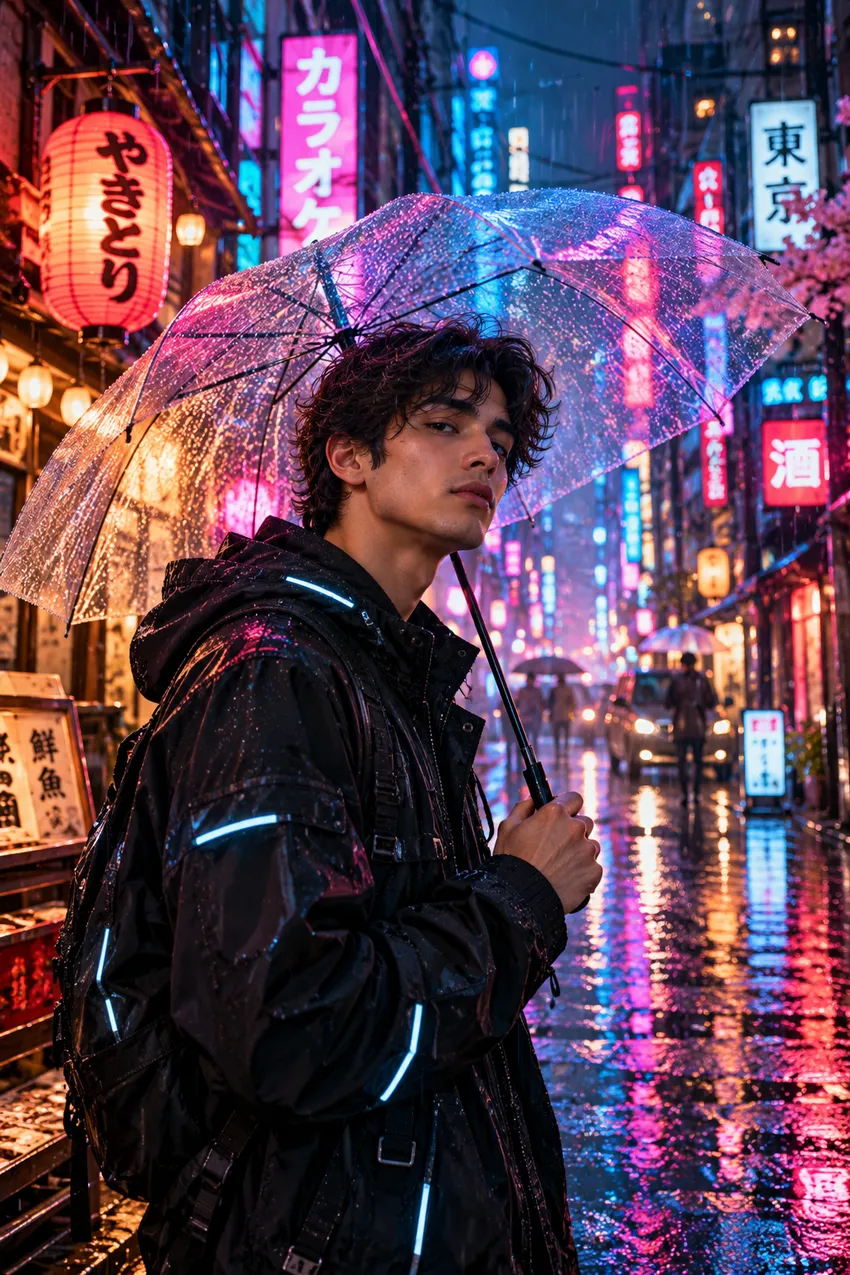
A cinematic eye-level portrait of a young person holding a clear transparent umbrella in a rainy neon-lit Tokyo alleyway at night. Vibrant electric cyan and magenta neon signs reflecting off wet cobblestones and puddle ripples. The subject wears a high-tech dark techwear jacket with subtle glowing LED trims. Atmospheric rain mist, dramatic cinematic contrast, shot on a cinema camera with 35mm f/1.4 lens, shallow depth of field, photorealistic 8k UHD.
Why this prompt works
'Clear transparent umbrella' is the key prop: the plastic picks up neon colour while still letting the face show through. 'Reflecting off wet cobblestones and puddle ripples' fills the lower frame with colour instead of black. 'Eye-level' with '35mm f/1.4' keeps the alley visible but softly blurred, so it reads as a street portrait rather than a studio shot.
Make it yours
- •Replace 'a young person' with a description such as 'a young Indian woman with a long braid', so the tool doesn't choose the person for you.
- •Swap 'cyan and magenta' for 'amber and teal' for a warmer mood with more natural-looking skin.
- •Change '35mm f/1.4' to '85mm f/1.8' for a tighter head-and-shoulders crop.
- •Replace 'Tokyo alleyway' with 'narrow Mumbai market lane'; keep 'wet' and 'neon' so the lighting still works.
Prompt 2: Cyberpunk Couple on a Rainy Neon Sidewalk
Written for: Bing Image Creator / ChatGPT
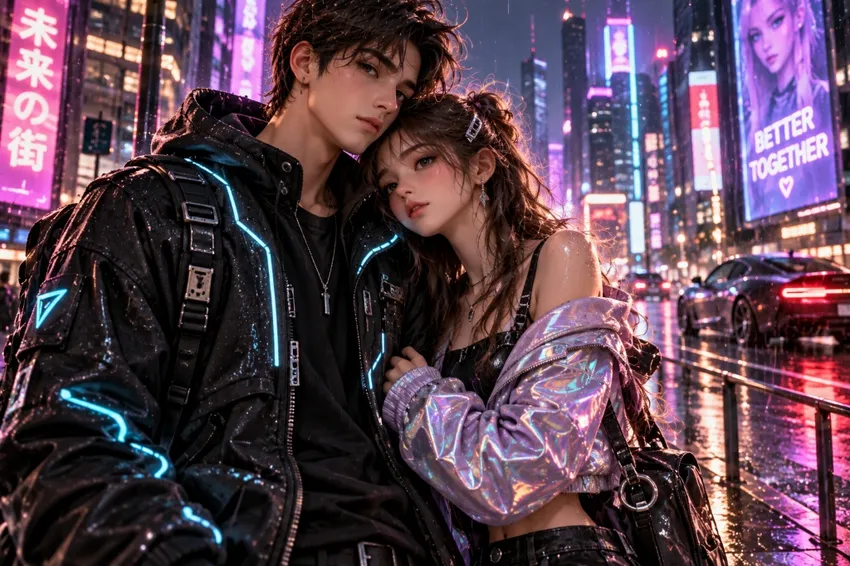
A cinematic 3D portrait of an attractive young stylish cyberpunk couple standing close together on a rainy futuristic city sidewalk at night. The boy has modern textured hair, wearing a black oversized techwear hoodie with subtle glowing electric-cyan neon LED piping. The girl is leaning affectionately against him, wearing a stylish cropped holographic bomber jacket with iridescent lavender reflections and silver hair clips. Wet reflective asphalt with puddle reflections of neon billboards, soft volumetric rain mist, warm cinematic neon rim lighting on their faces, romantic futuristic atmosphere, 85mm lens, photorealistic 8k 3D render.
Why this prompt works
'Standing close together' and 'leaning affectionately against him' give a clear pose, avoiding the stiff side-by-side look. Each person gets a different colour, 'electric-cyan' piping on his hoodie and 'iridescent lavender' on her jacket, so the two figures stay distinct in the dark. 'Warm cinematic neon rim lighting on their faces' stops faces from turning cold blue.
Make it yours
- •Swap the clothing colours between the two, but keep them different so the figures don't merge into one shape.
- •Replace 'leaning affectionately against him' with 'walking hand in hand under one umbrella' for a less posed shot.
- •Delete '3D' and 'render' for a more photographic result, or keep them for a smoother, game-cinematic finish.
- •Add 'Indian couple, natural brown skin tones'; strong coloured light can otherwise wash skin towards grey or purple.
Prompt 3: Rooftop View over a Futuristic City with Holograms
Written for: Bing Image Creator
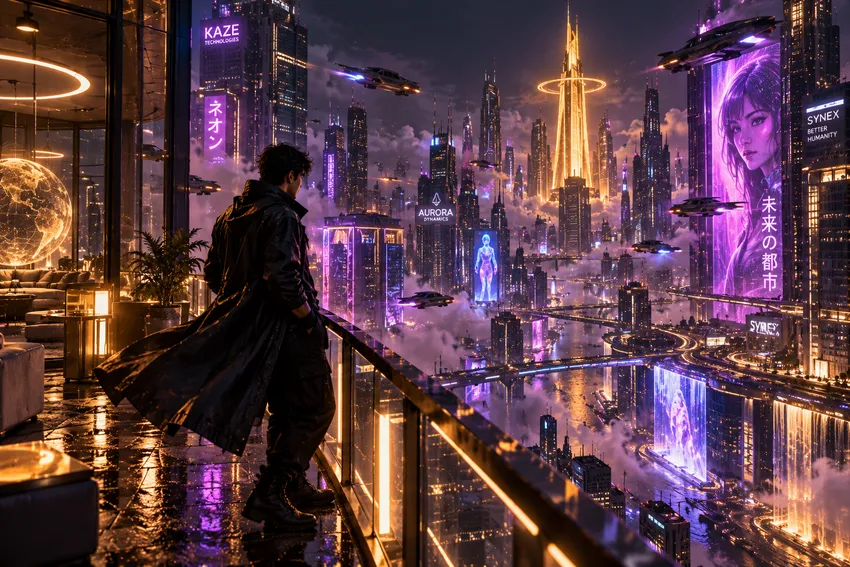
Wide cinematic establishing shot of a stylish individual leaning against a skyscraper balcony railing overlooking a sprawling futuristic megalopolis at midnight. Flying autonomous transport vehicles and floating holographic advertisements illuminate the dark fog in vivid hues of gold and violet. Wind blowing their dark trench coat, deep cinematic color grading, high-end game cinematic realism, 8k.
Why this prompt works
'Wide cinematic establishing shot' tells the tool the city matters more than the person, so the figure stays small and the skyline fills the frame. 'Gold and violet' keeps a warm-and-cool pair, and 'dark fog' gives the holograms something to glow against. 'Wind blowing their dark trench coat' creates a strong silhouette, which matters because the face will be tiny.
Make it yours
- •Change 'at midnight' to 'at blue hour just after sunset' to keep some colour in the sky.
- •Swap 'dark trench coat' for 'long kurta and scarf' to change the silhouette.
- •Remove 'flying autonomous transport vehicles' if the sky gets cluttered; one or two large holograms are often enough.
- •For a phone wallpaper, ask for a tall frame and place the figure 'in the lower third of the frame'.
Prompt 4: Futuristic High-Speed Cyber Car Interior with Neon Dashboard
Written for: ChatGPT / Bing Image Creator
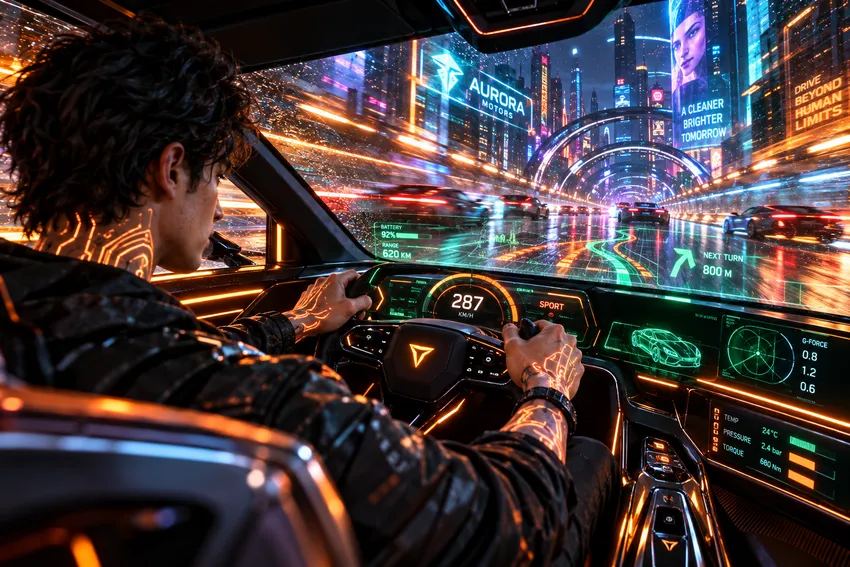
Interior portrait looking through the windshield of a sleek electric supercar racing through a neon-lit futuristic tunnel. The driver has glowing biometric tattoos on their neck and hands on a minimalist yoke steering wheel. The digital dashboard projects floating green and orange telemetry holograms, rain droplets streaking across the windshield glass, cinematic motion blur outside, 8k.
Why this prompt works
'Looking through the windshield' fixes the camera position, so the frame is built from inside the car with the dashboard in front. 'Green and orange telemetry holograms' put a second light palette right next to the driver, while the tunnel supplies background neon. 'Rain droplets streaking' and 'motion blur outside' suggest speed without showing the road.
Make it yours
- •Change 'green and orange' to 'cyan and pink' to match the other three images as a set.
- •Replace 'glowing biometric tattoos' with 'silver earrings and a leather jacket' for a fashion look.
- •Swap 'neon-lit futuristic tunnel' for 'rain-soaked city flyover at night' for a recognisable city feel.
- •Add 'driver's face lit by the dashboard glow' if the face comes out too dark.
Write your own neon scene: a five-part checklist
Every prompt above follows the same structure. Fill each part with something specific; a vague part is where the tool starts guessing. Stacked adjectives like 'epic, stunning, ultra-detailed' add little.
- •Subject: who, what they wear, one pose ('a young man in a grey rain jacket, hands in pockets')
- •Place: a wet or reflective setting ('flooded crossing with shop signs')
- •Light: two named colours and where they fall ('cyan from the left, magenta rim light from behind')
- •Camera: framing and lens ('eye-level, 50mm, shallow depth of field')
- •Atmosphere: one or two mood words ('rain mist, quiet late night')
Posting AI neon images honestly
Say that the image is AI-generated when you post it, especially if it could pass for a real photo of a real city. Bing Image Creator adds a small watermark in the bottom-left corner and content credentials that mark the image as AI-generated; leave them in place. Keep real brands off your signs and real people out of your prompts.
Problems & Fixes
| Problem | Fix |
|---|---|
| The whole image is a flat purple or pink haze. | Name two colours with a direction each, such as 'cyan light from the left, magenta from the right', and add 'deep black shadows' for contrast. |
| Neon signs are full of nonsense letters. | Scenes with many signs are hard for image tools to spell. Ask for 'abstract glowing shapes on the signs, no readable text', or give one short word in quotes for a single sign. |
| Skin looks grey, purple or plastic. | Add 'natural skin texture, true-to-life skin tone, face lit by a soft warm light', and remove '3D' and 'render' if the prompt has them. |
| The face is too dark or lost in the background. | Add 'face clearly lit by a nearby sign', or move from a wide shot to '50mm' or '85mm' so the face fills more of the frame. |
| The tool refuses the prompt. | Remove anything naming a real brand, a real person or a weapon, and rephrase in plain, neutral words instead of trying to get around the tool's safety rules. |
Pro Tips
- •Describe light by position, not just colour: 'magenta sign behind her left shoulder' gives far more control than 'magenta lighting'.
- •Keep at least one wet or shiny surface, such as a puddle, a wet jacket or a rain-streaked window, so the colour has something to reflect off.
- •Save the version you like before asking for edits; repeated follow-up changes can slowly drift the face and the scene.
Frequently Asked Questions
Can I make these images for free?
Bing Image Creator is free with a personal Microsoft account: 15 fast creations a day, then slower standard-speed creations. ChatGPT and Gemini also create images on free plans, but their limits change, so check the current limits in the app.
Can I put myself into a neon street scene?
Yes. Upload a clear photo of yourself to ChatGPT or Gemini, describe the new background and light, and add 'keep my face, features and skin tone exactly the same'. Upload only photos of yourself or of people who agreed. Google's help page says image editing in Gemini is only for users aged 18 or over.
Which tool should I start with?
Bing Image Creator is a simple free start. ChatGPT and Gemini are handier when you want to refine one image through follow-up messages. Running the same prompt in two tools is the quickest way to see which style you prefer.
Why don't my results match the samples?
Image generation is random by design, so the same prompt gives a different picture each time, and tools update their models regularly. Use the samples as a guide to the style, generate a few versions and keep the best one.
Sample images on this page are AI-generated. AI tools change often, so results can differ from the samples. See our editorial & AI policy for how guides are written and corrected.